
Category
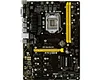
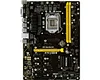
The motherboard is where all the key hardware components of your computer, such as CPU, memory, and graphics card, come together
P00000043
Quantity:
The motherboard is the core connection and control center of the computer. It integrates all key hardware components such as CPU, memory, graphics card, etc., and coordinates the transmission of data, instructions and power between them, determining the basic performance, expansion capabilities and hardware compatibility of the computer.
Four core features of motherboards
1. Hardware integration and communication center
The motherboard provides physical connections and data exchange channels for all core hardware through various slots and interfaces on it.
Core component carrier: Provides CPU slots, memory slots (DIMM), graphics card slots (PCIe), etc., and is the"installation platform"for core components such as CPU, memory, and graphics cards.
Data communication hub: Manage data transmission between components through the onboard chipset, such as coordinating communication between the CPU and memory, CPU and storage devices, to ensure efficient data flow.
The specifications of the motherboard directly limit the hardware models that can be selected and the possibility of future upgrades.
Compatibility key: The CPU socket type (such as LGA 1700, AM5) must match the CPU model; the memory type (such as DDR4/DDR5) and frequency supported by the memory slot determine the memory specifications that can be used.
Expansion capabilities are reflected: the onboard PCIe expansion slot (for installing independent network cards and sound cards), SATA interface (for connecting mechanical hard disks/solid-state drives), M.2 interface (for connecting high-speed NVMe solid-state drives), etc., determines the number and type of additional hardware that can be added to the computer.
3. Integrate basic function modules
Modern motherboards integrate a variety of basic functions, reducing the need for separate accessories.
Four core features of motherboards
1. Hardware integration and communication center
The motherboard provides physical connections and data exchange channels for all core hardware through various slots and interfaces on it.
Core component carrier: Provides CPU slots, memory slots (DIMM), graphics card slots (PCIe), etc., and is the"installation platform"for core components such as CPU, memory, and graphics cards.
Data communication hub: Manage data transmission between components through the onboard chipset, such as coordinating communication between the CPU and memory, CPU and storage devices, to ensure efficient data flow.
computer motherboard
2. Determine hardware compatibility and scalabilityThe specifications of the motherboard directly limit the hardware models that can be selected and the possibility of future upgrades.
Compatibility key: The CPU socket type (such as LGA 1700, AM5) must match the CPU model; the memory type (such as DDR4/DDR5) and frequency supported by the memory slot determine the memory specifications that can be used.
Expansion capabilities are reflected: the onboard PCIe expansion slot (for installing independent network cards and sound cards), SATA interface (for connecting mechanical hard disks/solid-state drives), M.2 interface (for connecting high-speed NVMe solid-state drives), etc., determines the number and type of additional hardware that can be added to the computer.
3. Integrate basic function modules
Modern motherboards integrate a variety of basic functions, reducing the need for separate accessories.
Mini motherboard
12-gpus-mining-motherboard
Recommend Products
 The motherboard is where all the key hardware components of your computer, such as CPU, memory, and graphics card, come togetherH310Send Inquiry
 The motherboard is where all the key hardware components of your computer, such as CPU, memory, and graphics card, come togetherH81-2Send Inquiry
 H61P00000023Send Inquiry
 The motherboard is where all the key hardware components of your computer, such as CPU, memory, and graphics card, come togetherG41Send Inquiry
Send Message