
Category


23.8-inch IPS100Hz high-brush full HD three-micro-edge HDMI interface wide viewing angle wall-mountable computer office monitor
P00000026
Quantity:
The core advantage of the monitor is that it directly determines the upper limit of visual experience. Whether it is picture clarity, color accuracy or dynamic smoothness, it can be flexibly selected according to usage needs, adapting to various scenarios from office to professional creation.
1. Visual experience: accurately matching different needs
The parameter differences of the monitor directly affect the picture presentation effect, and can provide customized visual support for different purposes.
Resolution and clarity: You can choose 1080P (daily office), 2K (both office and entertainment), 4K (professional design, audio and video) and other resolutions. The higher the resolution, the more delicate the picture details, the clearer the edges of text and images, and reducing visual fatigue.monitor monitor
Color and professionalism: Professional monitors (such as those used for design and photography) have high color gamut (100% sRGB/Adobe RGB) and high color accuracy (ΔE<2), which can accurately restore colors and avoid color deviations during creation; ordinary monitors can also adjust the color mode to meet the color needs of watching movies and games.
Refresh rate and fluency: A high refresh rate monitor (144Hz/240Hz) can significantly reduce screen smear, making it easier to operate when playing shooting and racing games. Daily scrolling of web pages and processing documents are also smoother; a 60Hz monitor can meet basic office and audio-visual needs, and is more cost-effective.computer display
2. Flexibility of use: adaptable to various scenarios and devices
The monitor is not only the"window"of the desktop, but can also be flexibly connected to a variety of devices to expand usage scenarios.
Multi-device compatibility: Through HDMI, DP, Type-C and other interfaces, it can be connected to laptops, game consoles (PS5/Xbox), mobile phones, tablets and other devices to achieve"one machine for multiple uses", such as connecting a laptop to an external monitor to expand the screen, or using the monitor to play console games.
Multi-screen combination expansion: supports the splicing of multiple monitors (such as dual screens, three screens). Documents, tables, and browsers can be displayed at the same time during office work, improving multi-tasking efficiency. When designing and editing, materials and finished products can be viewed in split screens, making the operation more convenient.
The adjustment function is user-friendly: most monitors support screen tilt, lift, and rotation (vertical screen), and the height and angle can be adjusted according to the sitting posture to find the most comfortable viewing posture; some monitors also have blue light filtering and low-flicker functions, which are more eye-friendly when used for a long time.
3. Durability and cost: Long-term use is more worry-free
Compared with the built-in screens of notebooks and all-in-one computers, independent monitors have a longer lifespan and are more flexible in maintenance and replacement costs.
Long service life: The panel life of a high-quality monitor can reach 5-8 years, which is far longer than the average life of the built-in screen of a notebook. It does not need to be replaced frequently for long-term use.
Low maintenance costs: If a display problem occurs, the monitor can be repaired or replaced separately. There is no need to repair the entire laptop like a laptop. Especially for desktop users, replacing the monitor does not affect the host hardware and the upgrade cost is lower.
1. Visual experience: accurately matching different needs
The parameter differences of the monitor directly affect the picture presentation effect, and can provide customized visual support for different purposes.
Resolution and clarity: You can choose 1080P (daily office), 2K (both office and entertainment), 4K (professional design, audio and video) and other resolutions. The higher the resolution, the more delicate the picture details, the clearer the edges of text and images, and reducing visual fatigue.monitor monitor
Color and professionalism: Professional monitors (such as those used for design and photography) have high color gamut (100% sRGB/Adobe RGB) and high color accuracy (ΔE<2), which can accurately restore colors and avoid color deviations during creation; ordinary monitors can also adjust the color mode to meet the color needs of watching movies and games.
Refresh rate and fluency: A high refresh rate monitor (144Hz/240Hz) can significantly reduce screen smear, making it easier to operate when playing shooting and racing games. Daily scrolling of web pages and processing documents are also smoother; a 60Hz monitor can meet basic office and audio-visual needs, and is more cost-effective.computer display
2. Flexibility of use: adaptable to various scenarios and devices
The monitor is not only the"window"of the desktop, but can also be flexibly connected to a variety of devices to expand usage scenarios.
Multi-device compatibility: Through HDMI, DP, Type-C and other interfaces, it can be connected to laptops, game consoles (PS5/Xbox), mobile phones, tablets and other devices to achieve"one machine for multiple uses", such as connecting a laptop to an external monitor to expand the screen, or using the monitor to play console games.
Multi-screen combination expansion: supports the splicing of multiple monitors (such as dual screens, three screens). Documents, tables, and browsers can be displayed at the same time during office work, improving multi-tasking efficiency. When designing and editing, materials and finished products can be viewed in split screens, making the operation more convenient.
The adjustment function is user-friendly: most monitors support screen tilt, lift, and rotation (vertical screen), and the height and angle can be adjusted according to the sitting posture to find the most comfortable viewing posture; some monitors also have blue light filtering and low-flicker functions, which are more eye-friendly when used for a long time.
3. Durability and cost: Long-term use is more worry-free
Compared with the built-in screens of notebooks and all-in-one computers, independent monitors have a longer lifespan and are more flexible in maintenance and replacement costs.
Long service life: The panel life of a high-quality monitor can reach 5-8 years, which is far longer than the average life of the built-in screen of a notebook. It does not need to be replaced frequently for long-term use.
Low maintenance costs: If a display problem occurs, the monitor can be repaired or replaced separately. There is no need to repair the entire laptop like a laptop. Especially for desktop users, replacing the monitor does not affect the host hardware and the upgrade cost is lower.
monitor hardware computer monitor
Recommend Products
 High brush full HD three micro-edge wide viewing angle wall-mountable computer office monitorDJS-19Send Inquiry
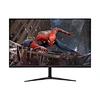 23.8/27-inch IPS100Hz high-brush full HD three-micro-edge HDMI interface wide viewing angle wall-mountable computer office monitorDJS-P00000051Send Inquiry
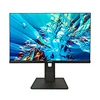 23.8-inch IPS100Hz high-brush full HD three-micro-edge HDMI interface wide viewing angle wall-mountable computer office monitorDJS-P00000077Send Inquiry
 27inch monitor 165hzDJS-P00000087Send Inquiry
Send Message