
Category


High brush full HD three micro-edge wide viewing angle wall-mountable computer office monitor
DJS-19
Quantity:
As the core window for human-computer interaction, computer monitors’ performance and design directly determine office efficiency, creative accuracy, and entertainment immersion. Different from the single perception of"bigger is better", modern monitors adapt to the diverse needs from business offices, professional design to e-sports entertainment through multi-dimensional optimization such as resolution, panel technology, refresh rate, and color performance.
monitor 4k
Entry-level office level (1080P, 1920×1080): The pixel density is about 92~108 PPI (24-inch model), suitable for daily document processing, web browsing and other light-load scenarios. The advantage is that it puts little pressure on the graphics card and is affordable. The 21.5~24-inch model is the"golden size"for office workstations, avoiding the problem of too small fonts caused by high resolution on small screens.
Mainstream advanced level (2K, 2560×1440): The pixel density is increased to 123~139 PPI (27-inch model), and the picture details are 77% finer than 1080P. It can not only meet the multi-window split-screen office (such as documents on the left + table on the right), but also adapt to the needs of light picture retouching and video editing. It is currently the mainstream choice that takes into account"clarity and practicality". The 27-inch model is 2K The optimal size for the resolution (over 32 inches prone to pixel graininess).
High-end professional level (4K, 3840×2160): The pixel density reaches 163~183 PPI (27~32-inch models), and the total number of pixels is 4 times that of 1080P. It can clearly present the detailed texture of the picture, the intra-frame information of the video, and can even achieve"4K video original quality preview". It is a must-have specification for photographers, video editors, and UI/UX designers; some 4K monitors also support"Split-screen simulation of multiple screens"(such as splitting a 4K screen into four 1080P windows) improves professional creation efficiency.Stock trading monitor
Entry-level office level (1080P, 1920×1080): The pixel density is about 92~108 PPI (24-inch model), suitable for daily document processing, web browsing and other light-load scenarios. The advantage is that it puts little pressure on the graphics card and is affordable. The 21.5~24-inch model is the"golden size"for office workstations, avoiding the problem of too small fonts caused by high resolution on small screens.
Mainstream advanced level (2K, 2560×1440): The pixel density is increased to 123~139 PPI (27-inch model), and the picture details are 77% finer than 1080P. It can not only meet the multi-window split-screen office (such as documents on the left + table on the right), but also adapt to the needs of light picture retouching and video editing. It is currently the mainstream choice that takes into account"clarity and practicality". The 27-inch model is 2K The optimal size for the resolution (over 32 inches prone to pixel graininess).
High-end professional level (4K, 3840×2160): The pixel density reaches 163~183 PPI (27~32-inch models), and the total number of pixels is 4 times that of 1080P. It can clearly present the detailed texture of the picture, the intra-frame information of the video, and can even achieve"4K video original quality preview". It is a must-have specification for photographers, video editors, and UI/UX designers; some 4K monitors also support"Split-screen simulation of multiple screens"(such as splitting a 4K screen into four 1080P windows) improves professional creation efficiency.Stock trading monitor
Recommend Products
 23.8-inch IPS100Hz high-brush full HD three-micro-edge HDMI interface wide viewing angle wall-mountable computer office monitorP00000026Send Inquiry
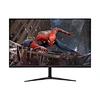 23.8/27-inch IPS100Hz high-brush full HD three-micro-edge HDMI interface wide viewing angle wall-mountable computer office monitorDJS-P00000051Send Inquiry
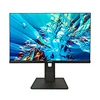 23.8-inch IPS100Hz high-brush full HD three-micro-edge HDMI interface wide viewing angle wall-mountable computer office monitorDJS-P00000077Send Inquiry
 27inch monitor 165hzDJS-P00000087Send Inquiry
Send Message